Google Ads Not Converting? 17 Reasons You’re Getting Clicks but No Sales
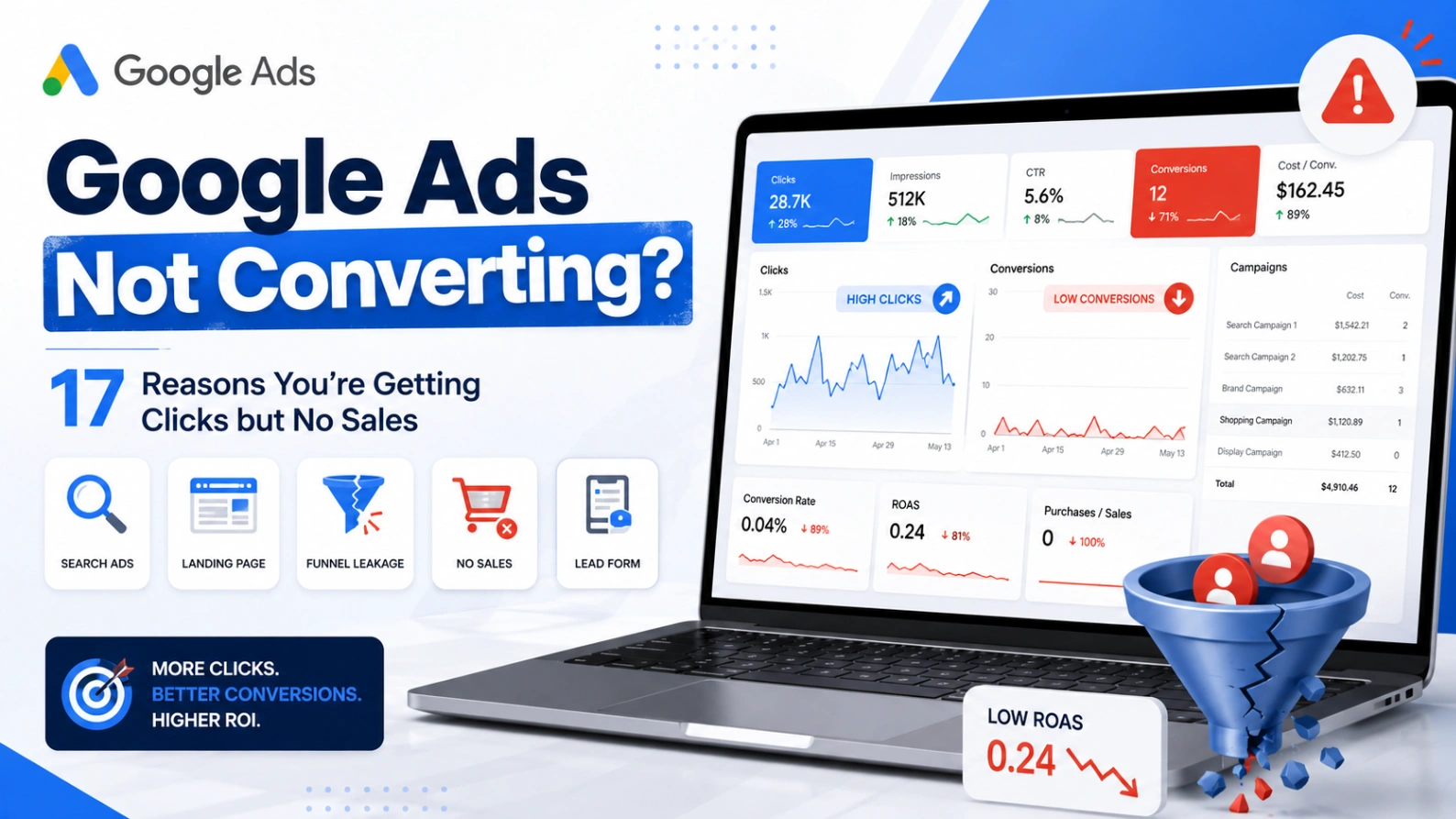
Google Ads Not Converting? 17 Reasons You’re Getting Clicks but No Sales
Your Google Ads campaigns are running.
Impressions are increasing. People are clicking. Budget is being spent.
But the leads, sales or bookings are not coming through.
When Google Ads is getting clicks but no conversions, it is tempting to blame the platform, increase bids or pause the entire account.
Before making any major changes, you need to identify where the conversion journey is breaking.
The problem could be:
Incorrect conversion tracking
Low-intent search traffic
Overly broad targeting
An unsuitable bidding strategy
Weak advert messaging
A poor landing-page experience
An uncompetitive offer
Insufficient data
A wider decline in market demand
This guide explains the most common reasons Google Ads campaigns fail to convert, how to diagnose each issue and what you should fix first.
Not sure where the problem is? Request a free Google Ads audit to uncover wasted spend, tracking errors and missed growth opportunities inside your account.
First, Establish What “Not Converting” Means
Before changing the account, clarify what is actually happening.
There is a major difference between:
Google Ads reporting no conversions at all.
Google Ads generating some conversions, but fewer than expected.
Google Ads reporting conversions that are not producing real customers.
Google Ads generating sales at an unprofitable cost.
Google Ads performance declining compared with a previous period.
Each situation requires a different response.
For example, zero reported conversions could indicate broken tracking. A high number of poor-quality leads may indicate traffic-quality or conversion-goal problems. A sudden decline could be caused by recent account changes, auction conditions, budgets, bidding targets or conversion delays.
Google lists recent campaign changes, conversion tracking, bids, budgets, targeting, policy status, auction dynamics and lost impression share among the main causes of Search campaign performance fluctuations.
What Should You Check First?
Use this diagnostic order:
Confirm conversion tracking is accurate.
Check whether real leads or sales are being generated.
Review the searches that triggered the ads.
Examine locations, devices and network traffic.
Assess the offer and landing page.
Review bidding and budgets.
Investigate recent account changes.
Consider seasonality and wider demand.
Do not immediately rewrite every advert, change the bidding strategy and rebuild the campaigns simultaneously.
When several major changes are made together, it becomes difficult to determine which action helped or harmed performance.
1. Your Conversion Tracking Is Not Working
Before assuming that your campaigns are failing, confirm that conversions are being measured correctly.
You could be receiving enquiries or sales that Google Ads is not recording.
Common conversion-tracking problems include:
The Google Ads tag is missing
The tag fires on the wrong page
The tag does not fire after consent
The conversion linker is missing
A website update removed tracking code
A third-party booking or payment domain is not tracked
Cross-domain tracking is incorrectly configured
Phone calls are not being measured
Imported GA4 conversions are delayed or incomplete
Conversion actions have been removed or changed
Google Ads currently displays conversion-action statuses including Active, Needs attention, Misconfigured, Awaiting conversions and Removed. A “Misconfigured” status can indicate that conversions have stopped recording because of a setup error or broken tag.
How to Fix It
Complete a real test conversion.
Then check whether:
The conversion appears in Google Ads
It appears only once
The correct value is recorded
The correct currency is used
The conversion is attributed to the right action
The tag fires only after the intended outcome
Consent settings allow measurement where appropriate
Do not optimise the campaigns until you are confident that the performance data is accurate.
2. Google Ads Is Tracking the Wrong Actions
Your tracking may technically work while still sending Google Ads the wrong signals.
For example, campaigns may be optimising towards:
Page views
Button clicks
Form starts
Add-to-basket actions
Visits to a contact page
Calls lasting only a few seconds
Duplicate purchase events
Unqualified enquiries
Engagement actions with little commercial value
If these actions are included as primary conversions, automated bidding may prioritise users likely to complete them—even when those users are unlikely to become customers.
How to Fix It
Separate conversion actions into clear categories:
Primary conversions
The outcomes you genuinely want Google Ads to optimise towards, such as purchases, qualified leads, booked consultations or valuable phone calls.
Secondary conversions
Useful diagnostic actions that you want to observe but do not necessarily want to guide bidding, such as form starts, brochure downloads or add-to-basket events.
For lead-generation businesses, consider importing qualified leads and completed sales from the CRM rather than treating every form submission as equally valuable.
3. You Are Paying for Low-Intent Search Terms
A keyword can look relevant while triggering searches made by people who are not ready to buy.
For example, a company selling accounting software might pay for searches such as:
What is accounting software?
Free accounting spreadsheet
Accounting software jobs
Accounting course
How does bookkeeping work?
Accounting software login
These searches contain relevant words, but the commercial intent is weak or nonexistent.
How to Fix It
Open the search terms report and classify queries by intent:
High commercial intent
Relevant but early-stage research
Existing customer or support intent
Recruitment intent
Irrelevant
Competitor
Unclear
Add appropriate negative keywords for repeated irrelevant themes.
Then identify valuable search terms that should be added as dedicated keywords with more relevant adverts and landing pages.
Do not judge traffic quality solely at keyword level. The actual searches generated by the keyword are usually more revealing.
4. Your Match Types Are Too Broad
Broad and phrase-match keywords can provide useful additional reach, but they can also expose the account to searches that differ significantly from the advertiser’s intended meaning.
The risk is higher when:
Conversion tracking is weak
The account has little conversion data
Negative keyword coverage is limited
The service has several possible meanings
The campaign combines many unrelated products
Broad match consumes most of the budget
How to Fix It
Analyse performance by:
Match type
Keyword
Search term
Campaign
Conversion quality
Consider moving proven, high-intent terms into exact-match targeting.
This gives you clearer visibility over their spend, messaging and landing-page experience.
Broad match should earn its position through relevant incremental conversions—not simply because Google recommends adding it.
5. Your Location Targeting Is Wrong
Your adverts may be reaching people outside the locations you can serve.
This commonly happens when:
An entire country is targeted instead of selected regions
Presence and interest settings are misunderstood
Location exclusions are incomplete
Radius targeting extends too far
Separate countries are combined in one campaign
Users searching about a location are mistaken for users physically located there
How to Fix It
Review performance using the geographic reports.
Compare:
User location
Matched location
Cost
Conversions
Qualified leads
Revenue
Cost per acquisition
Exclude areas that cannot become customers and consider separating strategically important locations into dedicated campaigns.
For lead-generation accounts, validate location quality against CRM data rather than trusting the Google Ads conversion count alone.
6. Search Partners Are Generating Poor Traffic
Search partner traffic can provide additional reach, but its performance and lead quality should be reviewed separately from Google Search.
Potential warning signs include:
Sudden increases in clicks
Very low conversion rates
Unusually cheap traffic
High volumes of low-quality enquiries
Leads with false or incomplete information
A major gap between reported conversions and accepted leads
How to Fix It
Segment campaign performance by network.
Compare Google Search and search partners using:
Cost
Conversion rate
CPA
Revenue
Lead acceptance rate
Sales-qualified leads
Do not judge search partners solely by the platform’s reported CPA. A low-cost lead is still expensive if it has no realistic chance of becoming a customer.
7. Your Ads Attract Clicks From the Wrong People
A high click-through rate does not automatically mean an advert is effective.
An advert can generate many clicks by being vague, overly broad or promising something the business does not actually provide.
Examples include:
Failing to mention the starting price
Hiding eligibility requirements
Using “free” when only a consultation is free
Not specifying whether the service is for businesses or consumers
Omitting the service location
Using generic claims that appeal to everyone
Promoting a discount that does not apply to most products
How to Fix It
Use the advert to qualify the user before they click.
Where relevant, include:
Pricing or minimum spend
Target customer
Service location
Product type
Eligibility requirements
Delivery area
Key exclusions
Clear differentiators
Generating fewer, better-qualified clicks can be more profitable than maximising click volume.
8. The Advert Does Not Match the Search
Users expect the advert to provide a direct response to their search.
Someone searching for “enterprise Google Ads audit” should not receive the same message as someone searching for “free Google Ads audit for small business.”
Weak relevance can occur when:
Ad groups contain unrelated keywords
One generic advert is used across many services
Dynamic insertion creates awkward messaging
Ad copy focuses on the company rather than the search
Important buying criteria are not mentioned
How to Fix It
Group keywords by genuine intent and write adverts for each theme.
The advert should answer:
Do you provide what I searched for?
Is it suitable for someone like me?
Why should I choose you?
What should I do next?
Avoid forcing hundreds of keywords into one advert group simply for the sake of consolidation.
9. The Landing Page Does Not Match the Advert
A relevant click can still fail to convert when the destination page does not fulfil the advert’s promise.
Common problems include:
Sending all traffic to the homepage
Promoting one service but linking to a generic category
Mentioning an offer that is difficult to find
Sending users to an out-of-stock product
Using different terminology on the advert and page
Hiding the conversion action below unrelated content
How to Fix It
Review the entire path:
Search → keyword → advert → landing page → conversion
The same user need should remain clear at every stage.
Where possible, direct highly specific searches to highly specific pages.
For example:
“Google Ads audit cost” → audit-pricing article
“Google Ads audit checklist” → audit-checklist article
“free Google Ads audit” → audit request page
“Performance Max audit” → dedicated Performance Max audit page
10. Your Landing Page Creates Too Much Friction
Even a relevant landing page can lose users if it is difficult to use.
Conversion barriers include:
Slow loading
Poor mobile formatting
Long or confusing forms
Unclear calls to action
Hidden pricing
Weak trust signals
Broken buttons
Intrusive pop-ups
Complicated checkout processes
Mandatory account creation
Poor product filtering
No visible contact information
How to Fix It
Test the page as a customer.
Complete the process on both mobile and desktop.
Ask:
Is the offer immediately clear?
Is the next step obvious?
Does the page feel trustworthy?
Is unnecessary information requested?
Does every button work?
Are costs and conditions clear?
Can the user complete the action quickly?
Use analytics, form data and session recordings to identify where visitors leave.
11. Your Offer Is Not Competitive
Sometimes the Google Ads account is not the main problem.
The adverts may reach the correct audience, and the website may function properly, but the offer is weaker than the alternatives visible in the same search results.
Users may compare:
Price
Delivery time
Availability
Reviews
Guarantees
Contract terms
Product selection
Experience
Response time
Returns policies
Financing
Free trials or consultations
How to Fix It
Search your priority terms and compare the full proposition.
Do not copy competitors blindly. Identify where your business has a genuine advantage and make it prominent in the advert and landing page.
Where the offer cannot compete on price, compete through expertise, speed, convenience, specialisation, service or reduced risk.
12. Your Bidding Strategy Does Not Match the Data
Automated bidding needs accurate conversion signals.
Problems can occur when:
The campaign has little conversion data
Conversion actions were recently changed
Several actions with different values are combined
A target CPA is set far below recent performance
A target ROAS is too restrictive
High-value and low-value conversions are treated equally
Budgets are too limited to support the strategy
Google states that sudden changes in conversions or conversion value can cause performance fluctuations when conversion-based bidding is being used. It also notes that targets set without considering historical data can affect performance.
How to Fix It
Review:
Current bidding strategy
Actual CPA or ROAS
Target CPA or ROAS
Conversion volume
Conversion delay
Recent goal changes
Budget limitations
Campaign learning status
Use experiments where possible rather than changing the entire campaign immediately.
13. Budget Is Going to the Wrong Campaigns
An account can generate conversions overall while still allocating budget inefficiently.
For example:
A low-value campaign spends freely
A profitable campaign is limited by budget
Brand traffic receives disproportionate spend
Performance Max captures demand already covered elsewhere
Poor-performing products dominate Shopping spend
Prospecting and remarketing results are blended together
How to Fix It
Compare each campaign’s percentage of total spend with its percentage of:
Conversions
Qualified leads
Revenue
Gross profit
New customers
Conversion value
Budget should be guided by commercial contribution and available incremental demand—not simply by which campaign spends most easily.
14. Brand Traffic Is Hiding Weak Acquisition Performance
Brand searches usually come from users who already know the business.
These users may have discovered the company through referrals, organic search, social media, email, offline advertising or previous visits.
When brand and non-brand results are combined, the account may appear more efficient than its genuine customer-acquisition activity.
How to Fix It
Report brand and non-brand performance separately.
Review whether:
Brand terms are isolated
Performance Max is serving on branded searches
Brand conversions are inflating overall ROAS
Non-brand campaigns are generating incremental customers
Existing customers are being counted as new acquisition
A strong blended ROAS does not necessarily mean the account is creating enough new demand.
15. Performance Max Is Cannibalising Existing Traffic
Performance Max can report strong results while capturing traffic that would otherwise have converted through brand Search, Shopping or another campaign.
This does not mean Performance Max is inherently ineffective.
It means the campaign should be evaluated based on incrementality and traffic composition rather than blended ROAS alone.
How to Fix It
Review:
Brand versus non-brand demand
Search-term insights
Brand exclusions
Product-level performance
New-customer acquisition
Search and Shopping overlap
Asset-group relevance
Final URL expansion
Listing groups
Campaign-specific conversion goals
Determine whether Performance Max is creating additional value or primarily redistributing conversions from existing activity.
16. You Have Not Collected Enough Data
A campaign with ten clicks and no conversions has not necessarily failed.
Whether the result is concerning depends on:
Expected conversion rate
Cost per click
Typical sales cycle
Conversion delay
Product price
Campaign type
Keyword intent
Historical performance
Statistical reliability
For example, if the site normally converts 2% of paid visitors, receiving no conversions from ten clicks would not be unusual.
How to Fix It
Set an evidence threshold before making major decisions.
Evaluate performance using:
Sufficient clicks
Sufficient spend
Expected CPA
Conversion delay
Historical conversion rate
Lead-to-sale rate
Revenue or profit
However, do not use “the campaign needs more data” as a reason to tolerate clearly irrelevant traffic or broken tracking.
17. You Changed Too Much Too Quickly
Frequent changes can make performance difficult to interpret.
Common examples include:
Repeatedly changing budgets
Switching bidding strategies
Adding and removing targets
Rebuilding campaigns
Changing conversion goals
Pausing keywords after limited data
Editing adverts every few days
Launching several experiments simultaneously
Google identifies changes to bidding, budgets, keywords, audiences, demographics and scheduling as potential causes of performance changes.
How to Fix It
Keep a clear testing record.
For every meaningful change, document:
What changed
Why it changed
Date implemented
Expected result
Evaluation period
Success metric
Final outcome
Prioritise the biggest confirmed problem first, allow sufficient time for measurement and then proceed to the next action.
Why Did Google Ads Suddenly Stop Converting?
When performance drops suddenly, compare the date of the decline with:
Website releases
Tracking changes
Consent-banner changes
Budget adjustments
Bidding changes
Target CPA or ROAS changes
New keywords or match types
Removed negative keywords
Product availability
Price changes
Promotion endings
Competitor activity
Policy disapprovals
Payment or billing issues
Changes in wider market demand
The change history should be one of the first places you look.
A precise decline beginning immediately after a major edit is more likely to have an identifiable cause than a gradual decline across several months.
Should You Pause Google Ads When It Is Not Converting?
Do not automatically pause the entire account.
Pausing may be justified when:
Tracking is completely unreliable
The website cannot accept enquiries or orders
Ads are reaching irrelevant countries
A major pricing or stock problem exists
Spend is materially above an agreed limit
The traffic is clearly irrelevant
The business cannot service additional customers
In other situations, reducing exposure while investigating the problem may be more appropriate than stopping all activity.
Preserve campaigns, keywords and data that continue to generate commercially valuable results.
How Long Should You Run Google Ads Before Expecting Conversions?
There is no universal waiting period.
The answer depends on:
Search demand
Budget
Click costs
Conversion rate
Sales cycle
Campaign type
Product price
Brand recognition
Landing-page quality
Conversion tracking
A high-volume ecommerce account may gather meaningful data quickly. A specialist B2B campaign targeting a small number of decision-makers may require a longer evaluation period.
Measure progress using appropriate intermediate indicators, but do not mistake weak engagement actions for genuine business outcomes.
The Fastest Way to Diagnose a Non-Converting Account
Start with these five questions:
1. Are real conversions happening?
Check the CRM, ecommerce platform, booking system and phone records.
2. Are those conversions recorded accurately?
Complete test conversions and review the Google Ads conversion-action statuses.
3. Are the clicks coming from commercially relevant searches?
Review search terms, locations and network performance.
4. Does the page deliver what the advert promises?
Check relevance, usability, trust and conversion friction.
5. Is Google Ads optimising towards the right outcome?
Review primary conversion goals, values and bidding strategies.
These checks will usually identify whether the main problem sits within measurement, traffic quality, the website or campaign optimisation.
Get a Free Google Ads Performance Audit
When Google Ads is not converting, making random changes can waste more money and make the original problem harder to diagnose.
GoogleAdsAudits.com provides a free, independent review of the six areas most likely to affect your results:
Search terms and negative keywords
Wasted spend
Bidding strategy
Campaign structure
Conversion tracking
Growth opportunities
The audit uses read-only account access, so no campaigns or settings can be changed.
You will receive a prioritised report explaining:
What is limiting performance
Which campaigns are affected
Where budget may be wasted
Which tracking problems need attention
What should be changed first
Where additional growth may be available
There is no credit card requirement, and the report is delivered in under 24 hours.
Generate your free Google Ads audit and find out why your campaigns are not converting.
Frequently Asked Questions
Why are my Google Ads getting clicks but no conversions?
The most common causes are inaccurate conversion tracking, irrelevant search traffic, overly broad targeting, weak landing pages, an uncompetitive offer or a bidding strategy using poor conversion signals. Check tracking first, followed by search terms and landing-page performance.
Why did my Google Ads suddenly stop converting?
Review the account change history, conversion tracking, website updates, budgets, bid targets, product availability and policy notifications. Compare the date performance declined with any significant account or website change.
How do I improve my Google Ads conversion rate?
Improve traffic quality, remove irrelevant searches, align adverts with user intent, send visitors to relevant landing pages, reduce conversion friction and ensure bidding is based on accurate primary conversion actions.
Should I pause keywords that have not converted?
Not automatically. Consider the amount spent, number of clicks, expected CPA, conversion delay and quality of the searches triggered. A keyword producing irrelevant traffic should be treated differently from a highly relevant keyword with limited data.
Can broad-match keywords cause low-quality conversions?
Broad match can generate relevant incremental reach, but it can also trigger low-intent searches when conversion data or negative keyword coverage is weak. Evaluate the actual search terms and lead quality before deciding whether to retain it.
Can Performance Max take conversions from Search campaigns?
Performance Max can serve across several Google properties and may capture branded or other existing demand. Review brand traffic, search insights, product performance and campaign overlap to understand whether it is producing incremental results.
How do I know whether Google Ads conversion tracking is broken?
Complete a test conversion and check whether it is recorded once, under the correct conversion action and with the correct value. Also inspect the conversion status and use Google’s tag-diagnostic tools to identify missing or misconfigured tags.
Is a free Google Ads audit worth it?
A free audit can be valuable when it uses real account data, includes manual expert analysis and provides specific recommendations that you can keep. Avoid generic reports that simply repeat automated platform recommendations.
AUTHOR BIO
Jack Felstead is an independent Paid Media and Digital Growth Consultant with 17 years of experience helping businesses improve advertising revenue, efficiency and return on investment across Google Ads and other paid media platforms.