Ad Assets Audit: The Free Real Estate Most Accounts Leave on the Table
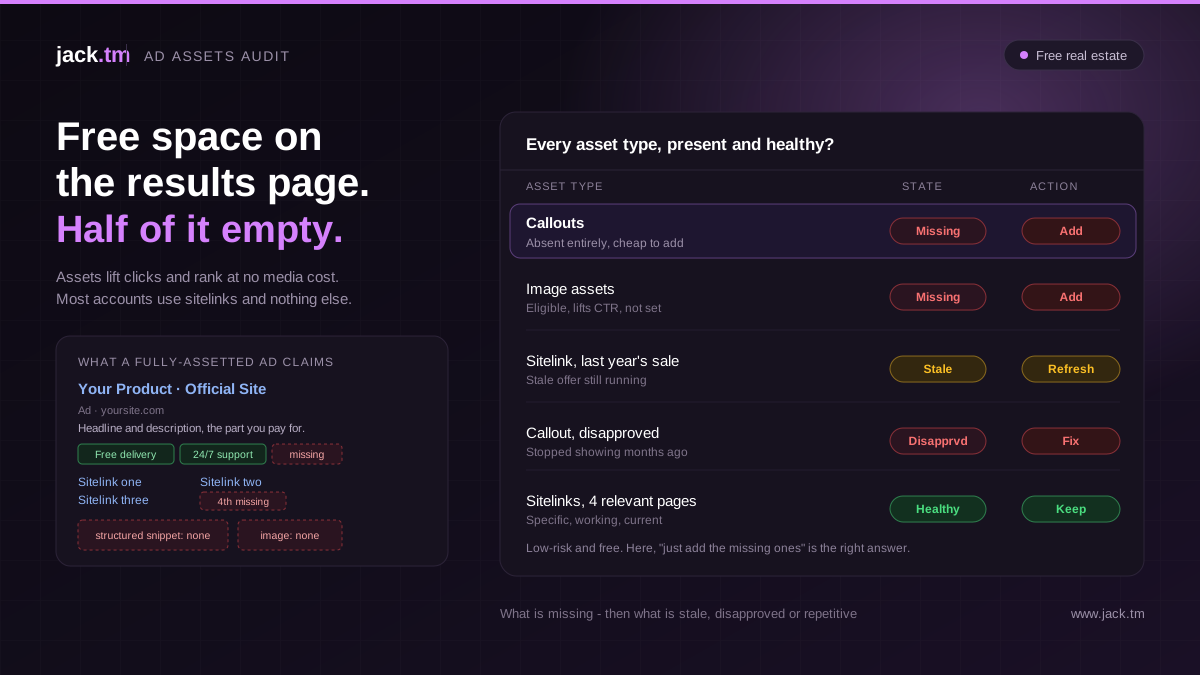
Ad Assets Audit: The Free Real Estate Most Accounts Leave on the Table
Ad assets, which Google used to call extensions, are the closest thing Google Ads has to free money.
They are the extra bits attached to your ads: the sitelinks underneath, the callouts, the little structured snippets, the image, the phone number, the price table. They make your ad bigger, more useful and more prominent on the results page, and they do it without costing a penny of extra media budget. A better-assetted ad takes up more space, gives people more reasons to click, and tends to earn a higher click-through rate, all for free.
Which is why it is slightly baffling how many accounts half-use them. Sitelinks added once at launch and never touched. Callouts missing entirely. No image assets on campaigns that would obviously benefit. Assets that have been disapproved for months with nobody noticing. An ad assets audit is about claiming the free real estate the account has left sitting on the table.
Why Assets Matter More Than Their Effort Suggests
The return on getting assets right is lopsided. They take relatively little effort to set up well, and they lift performance in two ways at once.
First, they directly improve click-through rate. More assets mean a bigger, more informative ad that occupies more of the screen and gives people more entry points, so more of them click. Second, assets feed into ad rank and quality signals, so a well-assetted ad can win a better position for the same bid. You get more clicks and cheaper prominence, from the same spend.
There is effectively no downside to strong asset coverage, which is what makes weak coverage such an easy, high-value finding. It is one of the few things in an account you can improve with near-certainty that it will help.
Start With What's Missing
The first pass of an assets audit is simply: what is not there at all?
Google offers a range of asset types, and most accounts use a fraction of them. The audit checks each relevant type for presence.
Sitelinks: extra links under the ad to specific pages. Nearly every account should use them, and many campaigns are missing them or running too few.
Callouts: short, non-clickable snippets highlighting selling points (free delivery, 24/7 support). Cheap to add, frequently absent.
Structured snippets: a header plus a list (Brands: X, Y, Z / Services: A, B, C). Underused almost everywhere.
Image assets: images alongside search ads, which can significantly lift performance on eligible campaigns and are missing more often than not.
Call assets: the phone number, essential for any business that takes calls, sometimes forgotten.
Lead form assets, price assets, promotion assets, app assets: situational, but worth having where they fit the business.
Audit for: which relevant asset types are simply absent, campaign by campaign. The commonest finding is an account using sitelinks and nothing else, leaving most of the free real estate unclaimed.
Then Audit What's There
Present is not the same as good. The assets that exist need checking for quality and health.
Audit for:
Whether there are enough of each asset type to give Google options to choose from and to maximise how many show Whether sitelinks point to relevant, working pages, not broken links or generic destinations Whether assets are current: old promotions, outdated offers, stale callouts still running Whether assets are specific and compelling rather than generic filler Disapproved assets, which silently stop showing and often go unnoticed for months Whether asset copy duplicates the headlines, wasting the extra space on repetition instead of adding new information Whether assets exist at the right level (account, campaign, ad group) for the control needed
A disapproved sitelink or a callout advertising last year's sale is worse than nothing, and these quietly accumulate.
Asset Performance
Google reports how individual assets perform, and the audit should use it.
Audit for:
Which assets earn impressions and clicks, and which never show Whether low-performing assets are being left in place or replaced Whether the best-performing assets suggest themes worth leaning into elsewhere Whether there is enough variety for Google to optimise which assets it shows
The goal is not to chase a perfect score but to spot assets that are dead weight and replace them, and to learn what resonates so the account can do more of it.
Automated Assets
Google can add automated assets itself, generating sitelinks, callouts and more dynamically, and this needs a deliberate look rather than being left on autopilot.
Audit for:
Whether automated assets are on, and whether that is intended What automated assets are actually being shown, since they are generated without your direct control Whether any automated asset is off-brand, inaccurate or pointing somewhere unhelpful Whether automated assets are filling genuine gaps or papering over a lack of proper manual assets
Automated assets are useful as a safety net, but they are not a substitute for deliberate, well-written manual assets. The audit checks they are helping, not quietly representing the brand badly.
Message and Landing Consistency
Assets are part of the ad, so they are part of the promise, and they should hold together with the rest.
Audit for:
Whether sitelinks lead to pages that match what they say Whether callouts and snippets are consistent with the ad's main message and the landing experience Whether the assets, headlines and landing page tell one coherent story rather than three different ones Whether sitelink destinations are as fast and relevant as the main landing page
A sitelink is a promise to take someone somewhere specific. If it dumps them on a generic page, it breaks the same message-match thread that governs the rest of paid search.
Scoring and Fixing
Rank the findings. The highest-value, lowest-effort fixes usually come first: adding the obviously missing asset types (callouts, structured snippets, images where eligible), fixing disapproved assets that have stopped showing, and replacing stale ones advertising old offers. Then build out depth and variety where coverage is thin. Then refine based on performance data.
Because assets are low-risk and free, the bar for acting is low. This is one audit area where "just add the missing ones" is usually the right, safe answer.
Common Ad Asset Mistakes
Using sitelinks and nothing else Most accounts claim a fraction of the available asset types, leaving free results-page space unused.
Never checking for disapprovals Disapproved assets silently stop showing and can go unnoticed for months.
Stale assets still running Callouts and promotions advertising offers that ended, quietly misrepresenting the business.
Too few assets of each type Google needs options to choose from; a single sitelink gives it nothing to optimise.
Assets that repeat the headlines Wasting the extra space on repetition instead of adding new information.
Leaving automated assets unchecked They fill gaps, but can show off-brand or inaccurate content without a deliberate review.
How AI Can Help
Checking every asset type across every campaign for presence, health, disapprovals and performance is repetitive, detailed work that is easy to skip or do superficially.
AI can process:
Which relevant asset types are missing, campaign by campaign Disapproved and stale assets that have stopped working Asset performance, flagging dead weight and strong themes Whether assets duplicate headlines or add genuine information Whether automated assets are helping or misrepresenting Ranked asset fixes by impact and effort
GoogleAdsAudits.com reviews account structure, tracking, bidding, creative, feed and channel mix, then produces a prioritised action plan positioning each recommendation by impact, effort and confidence.
The judgement about what the business most wants to say still comes from the business.
Final Thoughts
Ad assets are the rare thing in Google Ads that improves results without costing media budget, which makes half-using them one of the easiest wins to leave unclaimed. A bigger, more useful, more prominent ad earns more clicks and better positions for the same spend, and all it takes is actually setting the assets up well and keeping them healthy.
An assets audit starts with what is missing, then checks that what exists is current, approved, specific and non-repetitive, uses performance data to cut the dead weight, and makes sure automated assets are helping rather than quietly misrepresenting the brand. None of it is high-risk, and almost all of it helps.
Claim the free real estate. Most accounts have plenty of it sitting unused.
Build a personalised Google Ads action plan that identifies wasted spend, scalable opportunities and the fixes your team should prioritise next.
Frequently Asked Questions
What are ad assets in Google Ads?
Ad assets, formerly called extensions, are the extra elements attached to your ads: sitelinks, callouts, structured snippets, images, phone numbers, prices and more. They make the ad bigger and more useful at no extra media cost, and they tend to lift click-through rate and ad rank.
Do ad assets actually improve performance?
Yes, in two ways. They directly raise click-through rate by making the ad larger and giving more reasons to click, and they feed into ad rank, so a well-assetted ad can win a better position for the same bid. There is effectively no downside to strong coverage.
Which ad assets should every account use?
Nearly all should use sitelinks, callouts and structured snippets, plus call assets for any business taking calls and image assets where eligible. Lead form, price, promotion and app assets are situational but worth using where they fit.
Why check for disapproved assets?
Because disapproved assets silently stop showing and often go unnoticed for months, so you lose the benefit without any obvious signal. A stale callout advertising an ended offer is worse than nothing. Both are common, easily missed findings.
How many of each asset type should I have?
Enough to give Google options to choose from and to maximise how many can show at once. A single sitelink gives the system nothing to optimise. Variety within each type lets Google show the best combination for each query.
Should I use automated assets?
They are a useful safety net, but not a substitute for deliberate manual assets. Audit what automated assets are actually showing, since they are generated without your direct control and can occasionally be off-brand or inaccurate.
What is the most common ad asset mistake?
Using sitelinks and nothing else, leaving most of the free results-page real estate unclaimed. Adding the missing asset types is usually a low-effort, low-risk, high-value fix