The Settings Audit: Default Settings Quietly Costing You Money
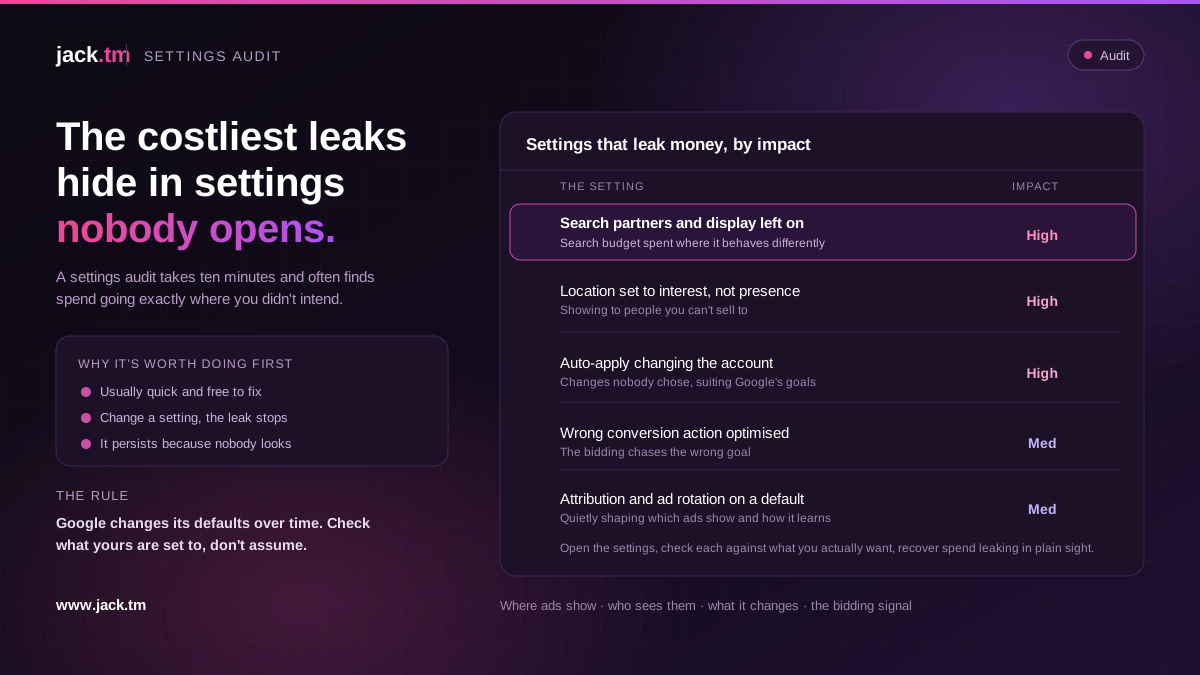
The most expensive problems in a Google Ads account are not always the obvious ones. Some of the costliest hide in the settings nobody ever opens, switched on by default or left as they were years ago, quietly leaking money while everyone watches the keywords and bids. A settings audit takes ten minutes and often finds spend going exactly where you did not intend. Here are the settings worth checking and why they matter. Google changes its defaults over time, so the rule is to check what yours are actually set to rather than assume.
Where your ads are allowed to show
The first thing to check is where the ads are running, because a search campaign can quietly spend well beyond search. Search partner sites extend your ads to places other than Google search, often at a different return, and they are easy to leave on without ever looking at how they perform. The Display Network can also be switched on inside a search campaign, which can send a chunk of your search budget to display placements that behave nothing like search.
Neither is automatically bad, but both should be a deliberate choice, not an unchecked default. In an audit, segment the campaign by network and look at what search partners and display are actually returning compared with core search. If they are performing, keep them. If they are quietly spending at a poor return, that is money you can recover by turning them off or separating them out.
Who your ads are shown to by location
Location targeting has a setting that catches a surprising number of accounts. You can target people who are in your chosen location, or people who are in or regularly in it, or, more loosely, people who have simply shown interest in it. The looser option means your ads can show to people outside the area you actually serve, just because they searched about it.
For a business that only serves one country or region, the loose setting can leak budget to people who are nowhere near able to buy. Check that location targeting is set to match who you can actually sell to, and do the same for any locations you have excluded. The same applies in reverse: make sure you are not accidentally excluding places you do want. It is a small setting with a large effect on who you pay to reach.
What the account changes on its own
Modern Google Ads can make changes for you, and whether you want it to is worth an explicit decision. Auto-apply recommendations can let Google change your account automatically, from adding keywords to adjusting settings, and if it is switched on without anyone realising, the account can drift in directions nobody chose. Some of those changes help. Some add broad match, raise budgets, or loosen targeting in ways that suit Google's goals more than yours.
In an audit, check what is set to apply automatically and decide, deliberately, what you are happy for the account to do without you. There is nothing wrong with accepting Google's help where it is useful. The problem is help you did not know you had agreed to, changing an account you thought was fixed.
The settings that shape the bidding
A few more settings quietly shape performance. The conversion actions a campaign is told to optimise towards: if the wrong ones are selected, or a minor action is being optimised as if it were a sale, the bidding chases the wrong goal. The attribution model, which changes how credit is assigned and therefore how the bidding learns. And ad rotation, which can be set to optimise or to rotate evenly, with real consequences for which ads get shown.
None of these is dramatic on its own, but each one tells the bidding how to behave, so a wrong setting here sends the machine in the wrong direction with full confidence. A settings audit checks that every one of these is deliberately chosen and matches what the account is actually trying to do, rather than sitting on a default nobody picked.
Why the settings audit is worth doing first
Settings problems are the best kind of problem to find, because they are usually quick and free to fix. There is no new campaign to build, no creative to write. You change a setting and the leak stops. That makes the settings audit one of the highest-return ten minutes in any account review.
The reason these problems persist is that nobody looks. Settings get chosen once, often by default, and then everyone's attention moves to the day-to-day of keywords and bids. Meanwhile the account spends on search partners nobody checks, shows to locations nobody meant to target, and applies changes nobody approved. Open the settings, check each one against what you actually want, and you often recover spend that was leaking in plain sight.
FAQs
What settings should I check in a Google Ads audit? Where ads can show (search partners and the Display Network inside search campaigns), location targeting options, auto-apply recommendations, the conversion actions being optimised, the attribution model, and ad rotation. Check each against what you actually intend.
Why are search partners and display a problem in a search campaign? They can send part of your search budget to placements that perform very differently from core search, often at a worse return, and they are easy to leave switched on without ever checking. Segment by network to see how they are doing.
What's wrong with the location targeting default? The looser option can show your ads to people who merely searched about your area rather than those actually in it, leaking budget to people who cannot buy. Set it to match who you can genuinely sell to.
Should I turn off auto-apply recommendations? Decide deliberately rather than leave it unchecked. Some automatic changes help; others add broad match, raise budgets or loosen targeting in ways that suit Google more than you. The problem is changes you did not know you had agreed to.
Why check settings first? Because settings problems are usually quick and free to fix, you change a setting and the leak stops, with no new campaign or creative needed. It is one of the highest-return short checks in any audit.